Monthly Planner – Cozy Pastel: A Delightful Way to Organize Your Days
There is something quietly reassuring about putting pen to paper and mapping out the month ahead. The Monthly Planner – Cozy Pastel brings that analog comfort into the digital age, offering a gentle, visually soothing approach to time management. Whether you are a busy professional juggling deadlines, a creative mapping out projects, or a parent coordinating family schedules, this planner aims to make organization feel less like a chore and more like a moment of calm. Designed with a soft pastel palette and a clean, simple layout, it invites you to plan without overwhelm.
Unlike many planners that feel rigid or overly structured, the Cozy Pastel version embraces flexibility. It is undated, meaning you can start using it at any point in the year—no wasted pages, no pressure to catch up. This makes it particularly appealing for those who prefer a more organic planning rhythm or who manage projects that don't align neatly with a January-to-December calendar.
What Makes the Cozy Pastel Planner Stand Out?
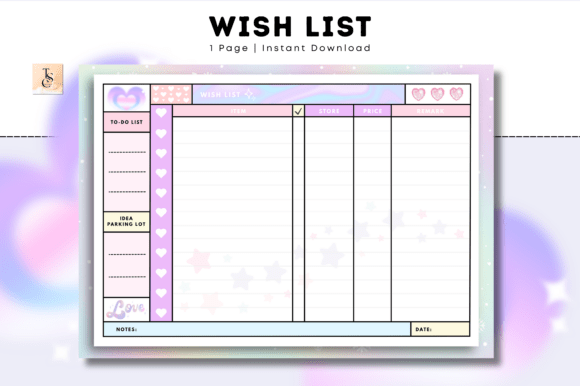
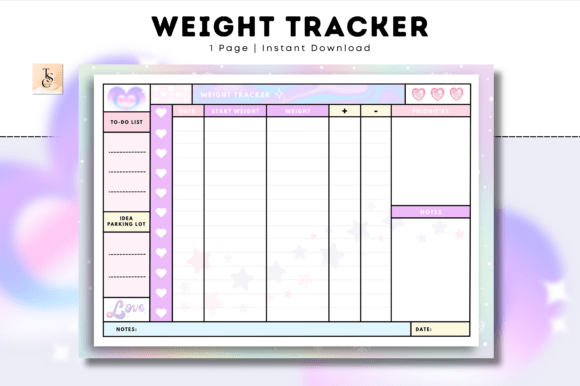
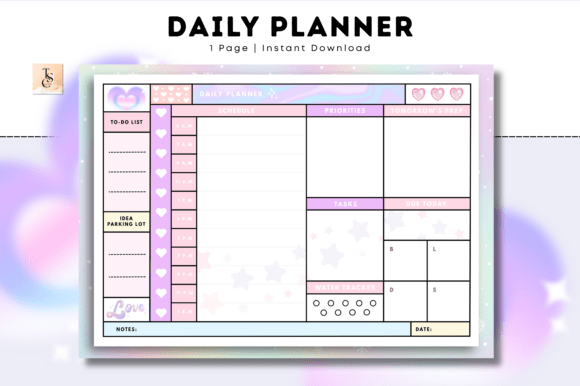
The first thing you notice is the design. The pastel tones are soft, warm, and inviting—think blush pinks, muted lavenders, and gentle creams. There are no harsh contrasts or loud graphics. Instead, the layout feels like a breath of fresh air. But beyond the aesthetics, the planner is built with practicality in mind.
Key Features at a Glance
- Simple and cute design – Minimalist without being boring. The pastel color scheme adds a cozy touch that feels personal and calming.
- Undated Daily Planner – No fixed dates means you can start any month, skip days, or adapt the planner to your own schedule. Perfect for unpredictable lifestyles.
- A4 Landscape orientation – A wider horizontal layout gives you room to breathe. Tasks, appointments, and notes can spread out naturally without feeling cramped.
- Printable at home or at your local print shop – You have full control over how you use it. Print as many copies as you need, or keep it entirely digital.
Two Versions, One Seamless Experience
The planner comes in two PDF variants: a Printable PDF version and a Digital PDF version. This dual approach ensures that no matter how you prefer to plan—on paper or on a screen—you have exactly what you need.
The printable version is designed to be printed on standard A4 landscape paper. Whether you run it through your home printer or take it to a local print shop, the layout stays crisp and clean. The digital version, on the other hand, is optimized for use in popular note-taking apps. It works beautifully with GoodNotes, Notability, Noteshelf, XODO, Samsung Notes, or any PDF editing app. This means you can annotate, highlight, and add text directly on the digital pages, making it a versatile tool for tablet users.
Who Benefits Most from This Planner?
The Monthly Planner – Cozy Pastel is designed for anyone who wants to stay organized and focused without the rigidity of a traditional planner. Its gentle aesthetic appeals to those who find joy in soft colors and clean layouts. But its real strength lies in its adaptability.
Professionals can use it to map out monthly goals, track project milestones, or schedule meetings. The undated format means you can set it up for a 30-day sprint or a full quarter, depending on your workflow. Creatives and freelancers will appreciate the open landscape layout, which leaves room for brainstorming, sketches, and notes alongside appointments. Students can use it to organize assignment deadlines, study sessions, and extracurricular activities without feeling boxed in. And for parents or household managers, the planner offers a calm space to coordinate family schedules, meal plans, and to-do lists—all in one place.
Because the planner is available as a digital download, it is also ideal for anyone who values instant access. No shipping, no waiting, no inventory issues. You purchase, download, and start planning immediately. This is especially useful for last-minute organizers or those who prefer to test a planner before committing to a full year of pages.
Real-World Scenarios and Applications
Let me walk you through some practical ways this planner fits into everyday life.
Scenario 1: The Remote Worker
Imagine you work from home and your schedule shifts week to week. Some days are packed with client calls; others are deep-focus work sessions. With the undated daily layout, you can assign each spread to a specific week or project. Use the pastel design to color-code different types of tasks—maybe lavender for meetings, blush for creative work, and cream for admin. The landscape orientation lets you see your entire week at a glance without scrolling or flipping pages.
Scenario 2: The Busy Parent
Between school runs, extracurricular activities, and household tasks, keeping track of everything can be overwhelming. Print a few copies of the planner and dedicate one to the family calendar. Write in meal plans, appointment reminders, and special events. The soft pastel palette keeps the page feeling light and approachable, even when the schedule is full.
Scenario 3: The Creative Entrepreneur
You run a small business and need to balance marketing deadlines, product launches, and client work. Use the digital version on your tablet to sketch out content ideas, set monthly goals, and track progress. The undated format allows you to start a new month whenever your business cycle begins, not just on the first of the month. Plus, the ability to annotate directly in apps like GoodNotes means you can add stickers, highlights, and handwritten notes that bring your planning to life.
Strengths and Considerations
One of the planner's greatest strengths is its flexibility. The undated, landscape, pastel design is not tied to any specific year or season. You can adapt it to your own rhythm. The dual PDF format also ensures that you are not locked into one method of use. Whether you prefer the tactile feel of paper or the convenience of digital notes, you are covered.
Another strength is the simplicity of the design. There are no complicated layouts, no overwhelming number of columns, no dense instructions. You open the page and start writing. This lowers the barrier to entry for anyone who has ever felt intimidated by a planner that seems to require a manual to use.
However, it is worth considering your personal planning style. If you need hourly breakdowns or a vertical day layout, this planner's landscape approach may feel too open. It is designed for big-picture monthly and daily planning rather than minute-by-minute scheduling. Similarly, if you prefer a dated planner with pre-filled holidays and month labels, the undated format will require you to fill in dates yourself. For some, this is liberating; for others, it may feel like an extra step.
Also, because this is a digital download product, there is no physical item shipped to you. You will need access to a printer (if you choose the printable version) or a tablet and compatible app (for the digital version). The product page notes that no physical product is included, and all sales are final—so make sure you review the product details carefully before purchasing.
How to Evaluate If This Planner Is Right for You
Before deciding, ask yourself a few questions:
- Do you value a calm, aesthetic planning experience over a feature-packed one?
- Are you comfortable with an undated format that requires you to write in your own dates?
- Do you prefer landscape orientation for a wider view of your tasks?
- Do you use digital note-taking apps like GoodNotes or Notability?
- Would you like the option to print fresh pages whenever you need them?
If you answered yes to most of these, the Monthly Planner – Cozy Pastel is likely a good fit. If you need a more structured, dated, or portrait-style planner, you may want to explore other options.
One practical tip: if you are unsure, start with a single download. Print just a few pages or load the digital version onto your tablet. Test it for a week or two. The low commitment nature of a digital product makes it easy to try before you fully integrate it into your routine.
Why People-First Design Matters in a Planner
At its heart, a planner is a tool—but it is also a personal companion. The best planners do not just track tasks; they support your mindset and energy. The Cozy Pastel design acknowledges that planning can be a source of stress if the tool feels chaotic or uninviting. By choosing a soft, pastel palette and a simple layout, the planner creates a low-pressure environment for organization. It invites you to plan with intention rather than obligation.
This people-first approach extends to the digital functionality. The planner is compatible with a wide range of apps, ensuring that users are not locked into a specific ecosystem. Whether you are an Apple Notes user, a Samsung Notes enthusiast, or someone who prefers XODO's annotation tools, the planner integrates smoothly into your existing workflow.
Final Thoughts
The Monthly Planner – Cozy Pastel is more than just a pretty set of pages. It is a thoughtfully designed tool that balances aesthetics with practicality. Its undated, landscape, pastel layout offers breathing room for your schedule, while the dual PDF format gives you the freedom to plan your way. Whether you are a professional seeking clarity, a creator chasing inspiration, or a parent managing a bustling household, this planner provides a gentle yet effective framework for staying organized.
And because it is a digital download, you can start using it the moment you purchase. No waiting, no waste, no pressure. Just you and your cozy pastel pages, ready to map out the month ahead.
🩷 Tas Creative Studio 🩷